 {|get_lang_name}
 {|get_lang_name}
Product Consultation
Your email address will not be published. Required fields are marked *


Can you get sciatica from sitting too much? The short answer is yes, and it happens more often than most people assume. Prolonged sitting raises pressure inside the lumbar spine, shortens the hip flexors, and can compress the sciatic nerve, which runs from the lower back through the buttock and down the back of each leg. The longer you stay seated without a break, the more likely that compression turns into pain, numbness, or tingling.
Key takeaway: Sitting itself is not the enemy. Sustained sitting combined with poor posture, weak core support, or an unsupportive chair is what triggers sciatica. The fix is a properly adjusted chair, regular movement breaks, and stretches that keep the hip muscles flexible.
Content
Sciatica is not a single disease but a set of symptoms caused by irritation or compression of the sciatic nerve. Typical signs include a sharp or burning pain that radiates down the back of the leg, numbness, tingling, and sometimes weakness in the calf or foot. The most common underlying cause is a herniated lumbar disc, but a spasming piriformis muscle in the buttock can produce the same symptom pattern.
Lumbar disc pressure is higher when sitting than when standing, and higher still when you slouch or lean forward.
Hours of seated work tighten the hip muscles and weaken the glutes, tilting the pelvis backward and flattening the lower spine.
A tight piriformis muscle sits directly beside the sciatic nerve and can press on it from inside the buttock.
These three mechanisms reinforce one another. When the pelvis rolls backward, the lumbar spine loses its inward curve, the front edge of the discs takes a bigger share of the load, and the nerve roots have less clearance. Over days and weeks of repeated sitting, that micro-strain accumulates, and what began as a mild morning ache can become a constant burning leg pain. General guidance on supportive seating is available in our lumbar support seating options.
One of the clearest ways to understand why sitting triggers sciatica is to compare the mechanical load on the lumbar spine across common postures. The values below are approximate figures from ergonomic research, expressed as relative pressure with standing upright set to 100.
Table: Approximate relative lumbar disc pressure by posture. Actual values vary with body weight, chair support, and measurement protocol.
Two practical conclusions follow. First, reclining the backrest reduces spinal load compared with sitting upright, provided the chair keeps firm contact with the lower back. Second, the most dangerous posture is a forward lean, which is exactly what many people slip into when the chair is too low, the desk is too high, or the backrest does not match the curve of the spine.
Posture explains how sciatica develops; duration explains how severe it becomes. The same seated position that causes no harm in 20 minutes can produce marked stiffness and nerve tension after two hours. Here is how the risk of sciatic symptoms climbs with continuous, uninterrupted sitting.
Chart: Relative risk of sciatic symptoms by continuous sitting duration. Risk levels are qualitative estimates based on cumulative spinal loading and clinical descriptions.
Hidden indicators make the situation harder to read. Weak core and gluteal muscles, tight hamstrings, a previous lumbar disc herniation, and a chair with a sagging cushion or no lower back support can all lower the threshold at which sitting produces sciatic symptoms. People who cross their legs or sit on a thick wallet add further pelvic rotation and should correct those habits at the same time.
The context of sitting matters as much as the total hours. For most office workers, continuous sitting accumulates across several settings in a single day rather than in one long block.
Chart: Estimated distribution of continuous sitting across daily settings among office-based workers. The values are illustrative, not measured data.
Each setting places different demands on the chair. A dining chair should support a 30-minute meal with a firm seat and proper depth; a chair for prolonged desk work with hip or nerve pain needs adjustable lumbar support and synchronized recline; a gaming chair must hold the pelvis in neutral alignment during hours of play. Matching the chair to the task is a practical first step toward preventing sciatic symptoms.
When you cannot eliminate long sitting, the best alternative is a chair that keeps the spine in a neutral position and encourages small movements. If you already have sciatic symptoms, look specifically for these features:
For office and home use, a mid-back mesh chair with built-in lumbar support is a sensible starting point for most desk workers.
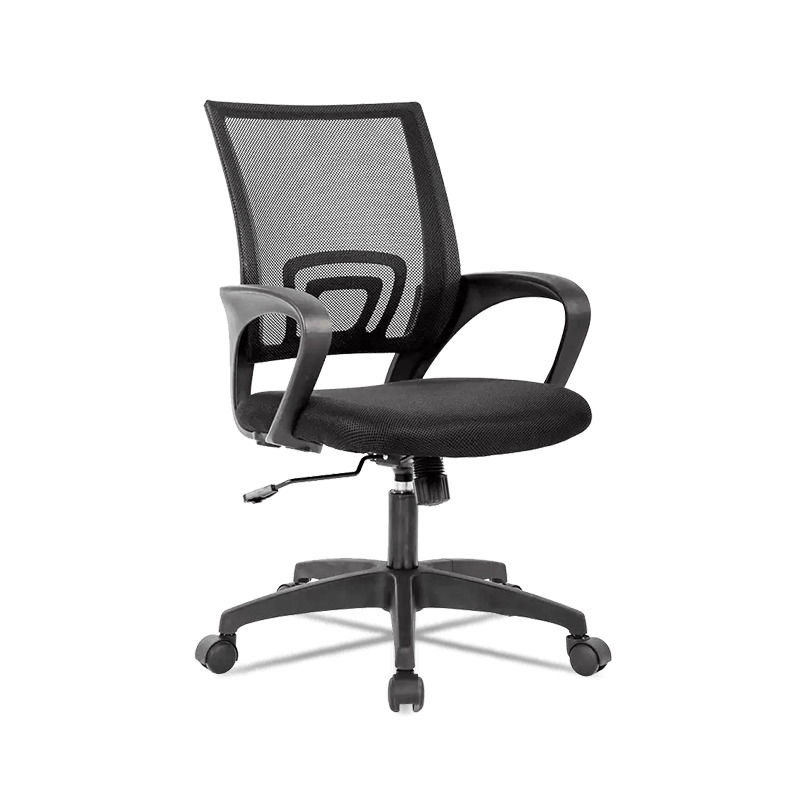 Adjustable Mid Back Mesh Office Chair with Lumbar SupportThis mid-back mesh chair offers built-in lumbar support, making it a practical choice for everyday desk work and home office setups that require reliable spinal alignment.View Product →
For longer gaming sessions, a chair with a separate headrest and lumbar cushion keeps the spine aligned through different recline angles.
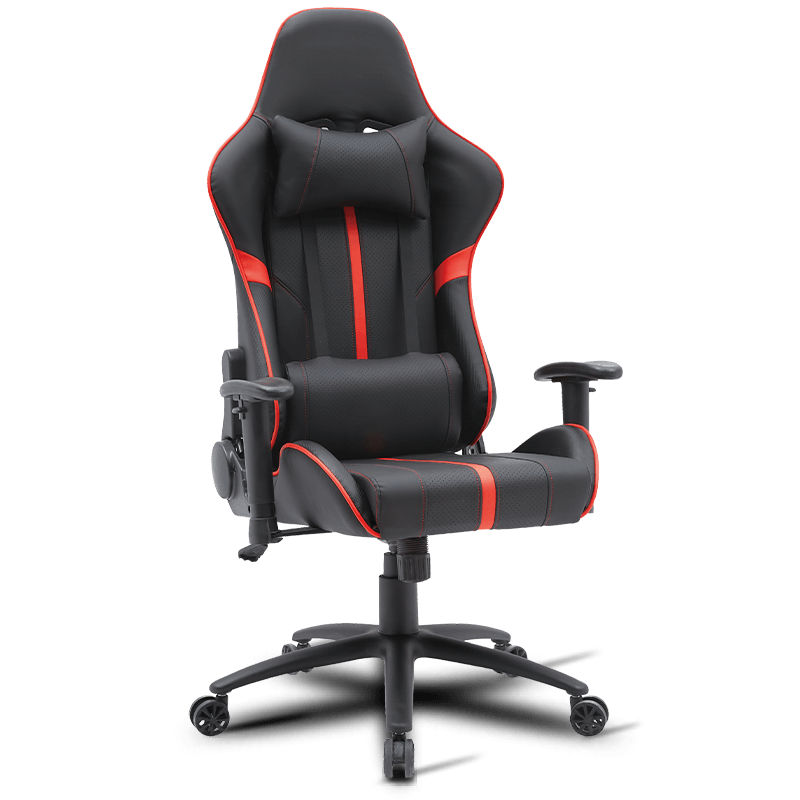 Ergonomic Gaming Chair with Headrest and Lumbar SupportDesigned for extended gaming sessions, this chair includes a separate headrest and lumbar cushion to help keep your spine aligned through various recline angles.View Product →
For full workdays and higher budgets, an executive chair with an adjustable lumbar cushion offers the most fine-tuning.
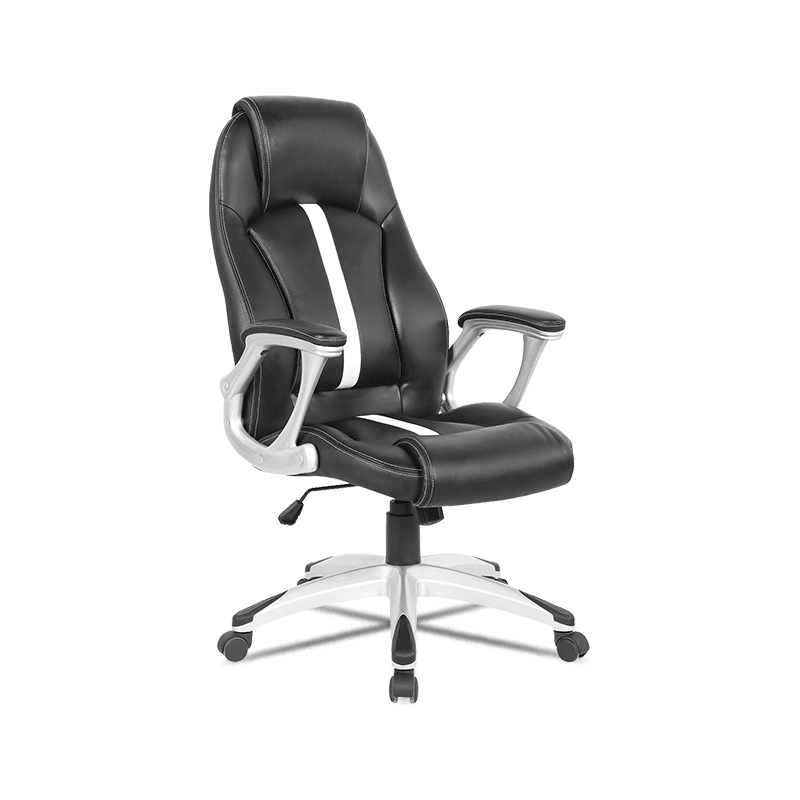 High Back Executive Chair with Adjustable Lumbar CushionFor full workdays and higher budgets, this executive chair provides an adjustable lumbar cushion for fine-tuned support, ideal for long hours of seated work.View Product →
Comparing these three types side by side makes it easier to match the chair to your specific symptom pattern and daily seating hours.
The evidence favors frequent short interruptions over long sessions of forced perfect posture. The following sequence works for most desk workers, drivers, and gamers.
Step 1 — Reset every 30 minutes. Stand up for two minutes. This single habit interrupts sustained disc pressure and restores blood flow to the hip muscles.
Step 2 — Recline slightly after each reset. Instead of snapping back to an upright locked position, recline the backrest a few degrees so the lumbar spine keeps its natural curve.
Step 3 — Do one 60-second stretch series. A standing hamstring stretch, a knee-to-chest movement, and a seated piriformis stretch cover the structures that most often compress the sciatic nerve.
Step 4 — Move between seated settings. If you game for three hours, do not do it in a dining chair. Switch to a chair with lumbar support and enough recline range to change your hip angle during play.
Step 5 — Walk after the longest sitting block. A five-minute walk after work lowers the time your discs stay under high relative pressure and resets muscle tone around the pelvis.
Drivers can adapt the same rules: raise the seat slightly so the hips sit a little higher than the knees, place a small lumbar roll behind the lower back, and pull over for a short stretch whenever a trip passes the one-hour mark.
A chair that supports your spine today will not do so forever. Check the gas lift for smooth height adjustment, confirm that the tilt mechanism returns without slamming, and press the seat cushion to feel for sagging or bottoming out. Mesh backs should be vacuumed or wiped regularly so dust does not clog the weave and reduce its flexibility. Worn casters matter too: a chair that rolls easily encourages micro-movements, while a stuck caster locks you into a single static posture for hours.
If you already have sciatica, the chair is only part of the treatment. Keep moving, strengthen your glutes and core, and avoid long bed rest, which research shows slows recovery. See a doctor without delay if you notice progressive leg weakness, loss of bladder or bowel control, numbness in the area between the legs, or pain that worsens despite better seating and more breaks. These can signal a disc herniation requiring imaging and targeted treatment.
For procurement teams and importers, these comfort features are not cosmetic extras. Lumbar support, synchronized tilt, and seat depth adjustment are the physical mechanisms that allow a user to hold a neutral spine through a full work shift. Specifying them clearly in a product range reduces returns, lowers complaint rates, and improves the perceived quality of the seating in your catalog.
Best Posture Tips for Remote Work: Optimize Your Ergonomic Home Office Setup
Sep 07,2026Your email address will not be published. Required fields are marked *

Copyright © Anji Mingchuang Furniture Co., Ltd. All Rights Reserved.
